Features
Everything Wow Chat does, in detail
Every feature on this page ships in the free plugin and runs on your own WordPress server — except the one clearly marked Pro. No account, no API key, no monthly bill.
01 /For shoppers
Faster from question to cart
Chatbot & product finder
Answers and products, in one conversation
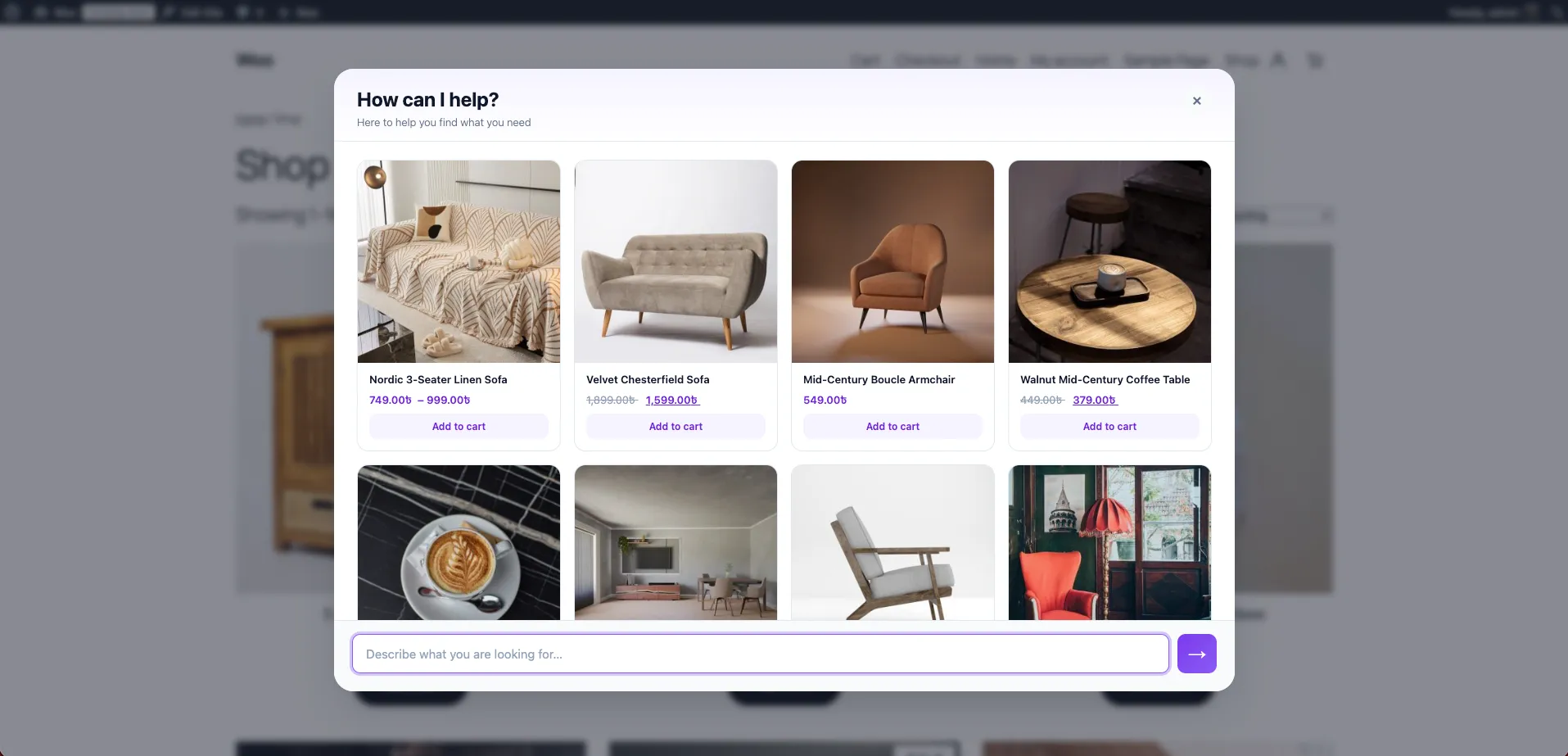
Wow Chat greets shoppers as a floating bubble, a slide-in drawer or a full-screen product finder. It answers from FAQ entries you control and falls back to your catalog, showing product cards with image, price, stock state and a working add-to-cart button.
- Simple products are added to the cart silently, without leaving the chat
- Variable and external products show WooCommerce’s own button text and link to the product page
- Quick-reply chips give shoppers a place to start
- 1–8 product cards per answer, your choice
- Example conversation: Finding a gift and adding it to the cart.
- Quick replies offered: Gift ideas, Shipping times, Hiking boots.
- Shopper: Gift ideas
- Wow Chat: Happy to help. These are our most-loved gifts right now — all in stock and ready to ship:
- Wow Chat shows product cards: Single-Origin Coffee Gift Set, Nightfall 400 Headlamp, Enamel Camp Mug.
- Shopper adds Nightfall 400 Headlamp to the cart from the card.
- Wow Chat: Nightfall 400 Headlamp is in your cart. Anything else I can find?
- Shopper: waterproof boots
- Wow Chat: Here’s what matched “waterproof boots”:
- Wow Chat shows product cards: Ridgeline Waterproof Hiking Boot, Stormline 3L Rain Shell.
Instant product search
Search that finds “boot” when they type “boots”
A dedicated index table and MySQL FULLTEXT ranking replace slow LIKE queries. Results appear as shoppers type, exact SKUs match first, and in-stock, recently updated products rise to the top.
- Vocabulary built from your categories, tags, brands and attributes
- Understands word forms — boots, boot, booted
- Optionally takes over your theme’s search box
- Place it anywhere with the Wow Search block or shortcode
Recommendation widgets
Keep shoppers browsing with three smart widgets
Recently Viewed, Related Products and Frequently Bought Together — the last one powered by your WooCommerce cross-sells. Each is a Gutenberg block you can drop on any page.
Read the docsWow Chat Pro
An AI chatbot that understands what shoppers mean
Pro adds AI chat that understands shopper intent — “something warm for a rainy trek, size 10” — along with smarter search and recommendations and priority support. AI usage is included in the licence. Pro is optional and takes nothing away from the free plugin.
About Wow Chat Pro- Example conversation: Pro: AI chat that understands the shopper’s intent.
- Shopper: I need something warm for a rainy trek in Scotland next month, size 10
- Wow Chat: For wet, cold conditions you’ll want a waterproof boot with a high cuff and a shell you can layer under. These are in stock in size 10:
- Wow Chat shows product cards: Ridgeline Waterproof Hiking Boot, Stormline 3L Rain Shell, Merino Base Layer.
- Shopper: which boot is lighter?
- Wow Chat: The Ridgeline is about 480 g per boot — the lightest waterproof option in this range, and the one most trekkers pair with the Stormline shell. Want both in size 10?
- Quick replies offered: Yes, add both, Show alternatives.
- Shopper: Yes, add both
- Wow Chat: Done — both are in your cart in size 10. Anything else for the trip?
02 /For merchants
Control without the busywork
FAQ system
Write the answer once. Let trigger phrases handle the rest.
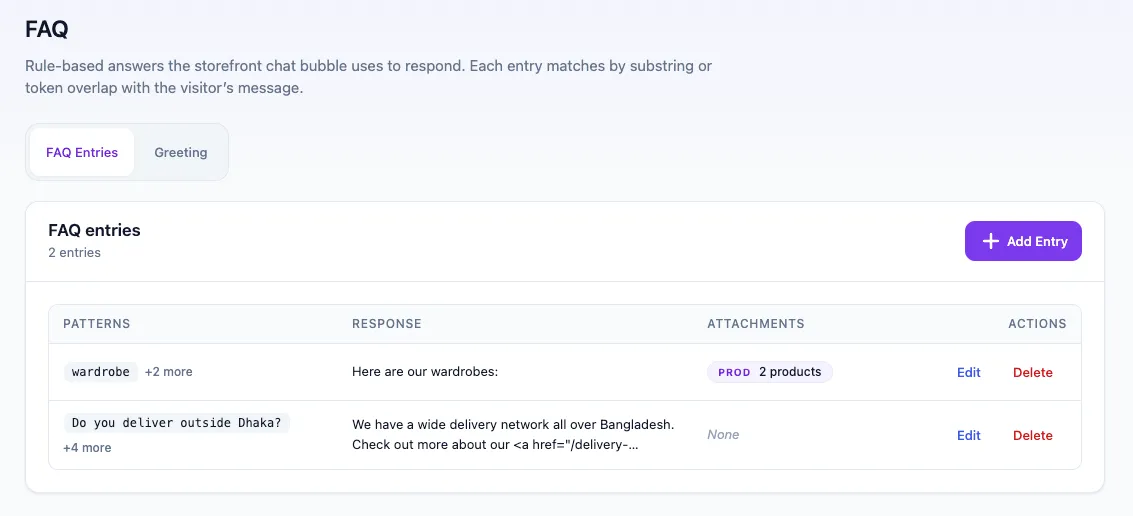
Each FAQ entry pairs trigger phrases with an answer, so “how long is shipping” and “when will it arrive” resolve to the same reply. Attach products, categories, tags, brands, sale or featured items and the answer arrives with cards.
- Stored and matched entirely on your server
- Attach products by category, tag, brand, sale or featured status
AI FAQ Generator
Let AI draft your FAQ. You approve every line.
Enter your own OpenAI key and the generator drafts shopper questions — with genuine paraphrases — and evergreen answers from your catalog. Pick a tone, choose how many drafts per selection, review in a full-width grid, then publish.
- Auto, Concise, Enthusiastic or Luxury tone
- Covers finding, budget, gifting, size & fit, availability and comparisons
- Streaming progress with cancel for large runs
- Requests go from your server to OpenAI — never through us
Analytics
Know what shoppers ask — and what they can’t find
Conversations, answered rate, top shopper questions, top search queries and product clicks. Every number is calculated from data in your own WordPress database. No external analytics service, no tracking scripts.
Read the docsAppearance
Match your brand in a couple of clicks
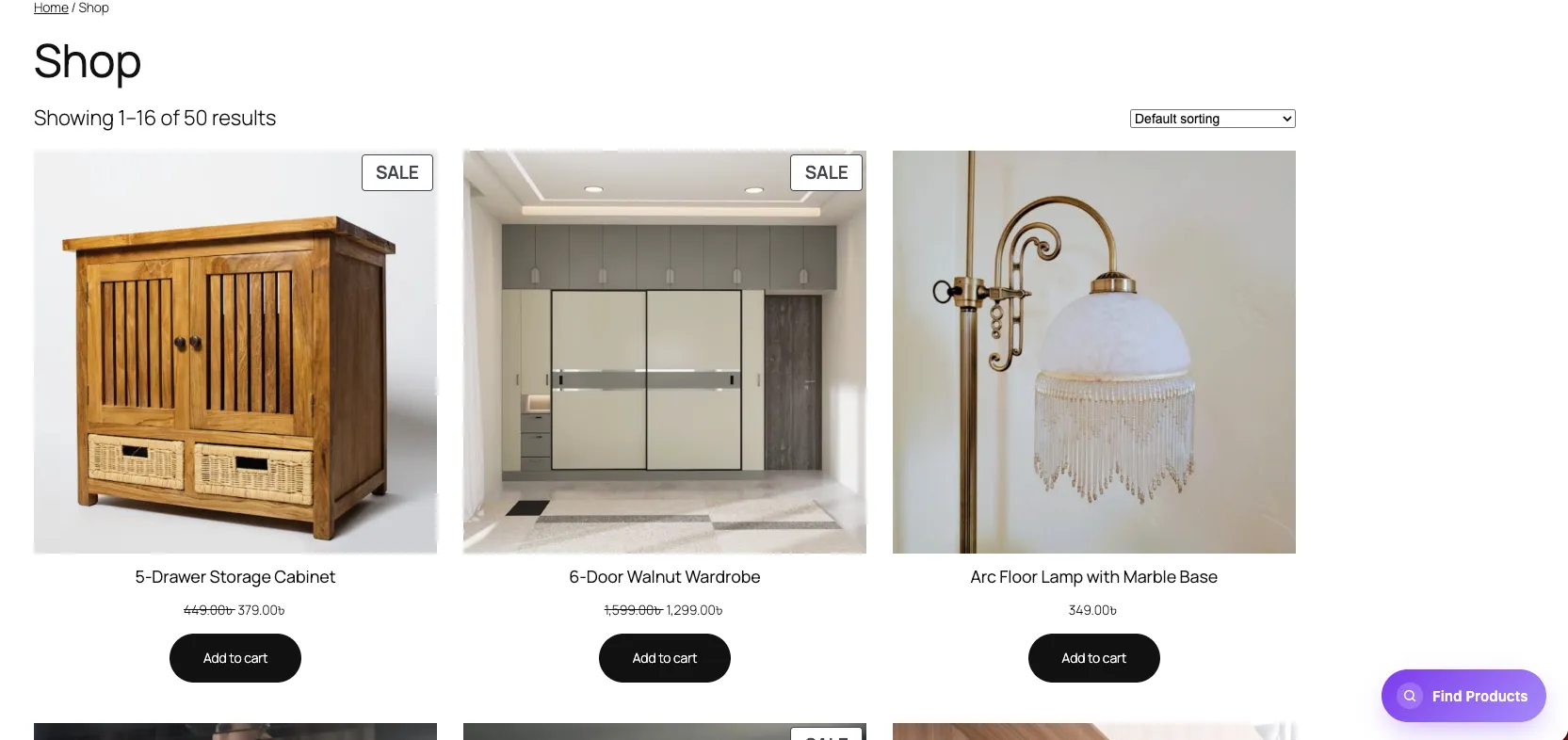
Choose the shopper experience — classic side panel or full-screen finder — then pick from six palettes or fine-tune individual colours. Set the launcher label and icon to fit your storefront.
Read the docs- Example conversation: Size and fit question with a paired product.
- Shopper: does the rain shell run small?
- Wow Chat: Stormline runs true to size with room for a mid-layer. Between sizes? Go up one. Here it is, with the base layer most people pair it with:
- Wow Chat shows product cards: Stormline 3L Rain Shell, Merino Base Layer.
- Quick replies offered: Size guide, Returns policy.
03 /For developers
Extend it like any good WordPress plugin
For developers
Blocks, a shortcode and nine filter hooks
Four Gutenberg blocks, the [wow_chat_for_woo_search] shortcode and filters for search results, strategy, dictionary, related and FBT IDs, chat config, storefront suggestions and the FAQ generation prompt. Plain JavaScript on the storefront, no jQuery, and full human-readable source in the plugin.
Read the docs// Blocks
wow-chat-for-woo/search · recently-viewed · related-products · frequently-bought-together
// Shortcode
[wow_chat_for_woo_search]
// Filters
wow_chat_for_woo_search_results
wow_chat_for_woo_search_strategy
wow_chat_for_woo_search_dictionary
wow_chat_for_woo_replace_default_search
wow_chat_for_woo_related_ids
wow_chat_for_woo_fbt_ids
wow_chat_for_woo_chat_config
wow_chat_for_woo_storefront_suggestions
wow_chat_for_woo_faq_generate_prompt
04 /In the wild
Real screenshots from the plugin
Try every feature on your own store — free.
Install from WordPress.org. Nothing to sign up for, nothing to connect.